


The problem it addresses
Buyer and seller inquiries reach an agent from listing pages, ad forms, phone calls and texts. When those leads live in an inbox, a phone and a spreadsheet, replies go out late, follow-up depends on memory, and handing a lead to a teammate means forwarding messages.
HighLevel’s answer is one contact record per lead, an automatic first reply, a booking link for showings and a pipeline that shows where each buyer or seller stands. Each piece has to be set up by you or someone you hire.[1],[2]
Who it suits
Good fit
- Solo agents and small teams who want inquiries, showing bookings and follow-up in one CRM, with every message to a contact in one inbox. All plans include unlimited users, so each agent can have a login.[1],[3]
- Teams that run their own Facebook and Instagram lead ads and want those leads created as contacts instead of exported to a spreadsheet.[4]
- Agents who keep buyers and sellers on separate follow-up tracks and want those lists to update from tags and fields.[5]
Weaker fit
- You need MLS or IDX property search on your website. MLS and IDX feeds are not among HighLevel’s listed core features, so plan on a separate listing tool and confirm how its inquiries reach HighLevel.[1]
- You want transaction management, contract workflows or brokerage compliance files in your CRM. We found no evidence that HighLevel provides them; keep your existing transaction tool.
- You want a CRM that works on day one without building anything. Forms, stages, calendars and automations all need setting up.[1]
What it can help with
-
Needs a connected account
Capture listing and ad inquiries
Forms, landing pages and the website builder are listed core features, so a listing or open-house page can create a contact when someone asks about a property.[1]
Facebook and Instagram lead ads can be created in Ad Manager after it is activated for your sub-account and your Facebook account is connected.[4]
-
Your own setup
Tag buyers and sellers separately
Smart Lists are saved segments that update from filters such as tags, custom fields and activity. You choose the tags and fields, for example buyer or seller, price band and preferred area.[5]
-
Built in
Reply first, then nurture
Workflow automation and email and SMS marketing are listed core features. A new inquiry can get an immediate reply, and a buyer who is months away can get a slower sequence.[1]
Email and texts are billed by usage on top of the plan. Texting US numbers from a standard local number needs A2P 10DLC brand and campaign registration first.[1],[6]
-
Built in
Book showings with reminders
Booking calendars are a listed core feature. A calendar can send email, SMS, WhatsApp and in-app notifications when a showing is booked, cancelled or rescheduled, plus reminders before it and follow-ups after it.[1],[7]
A workflow can start when someone books through your booking link without staff involvement, for example to alert the listing agent.[8]
-
Your own setup
See every deal by stage
A pipeline is a set of stages that opportunities move through, and you name the stages, for example New inquiry, Showing booked, Offer and Closed.[2]
The Conversations inbox shows the contact’s details, documents, payments and activity beside the message thread, so a teammate can pick up a lead with its history.[3]
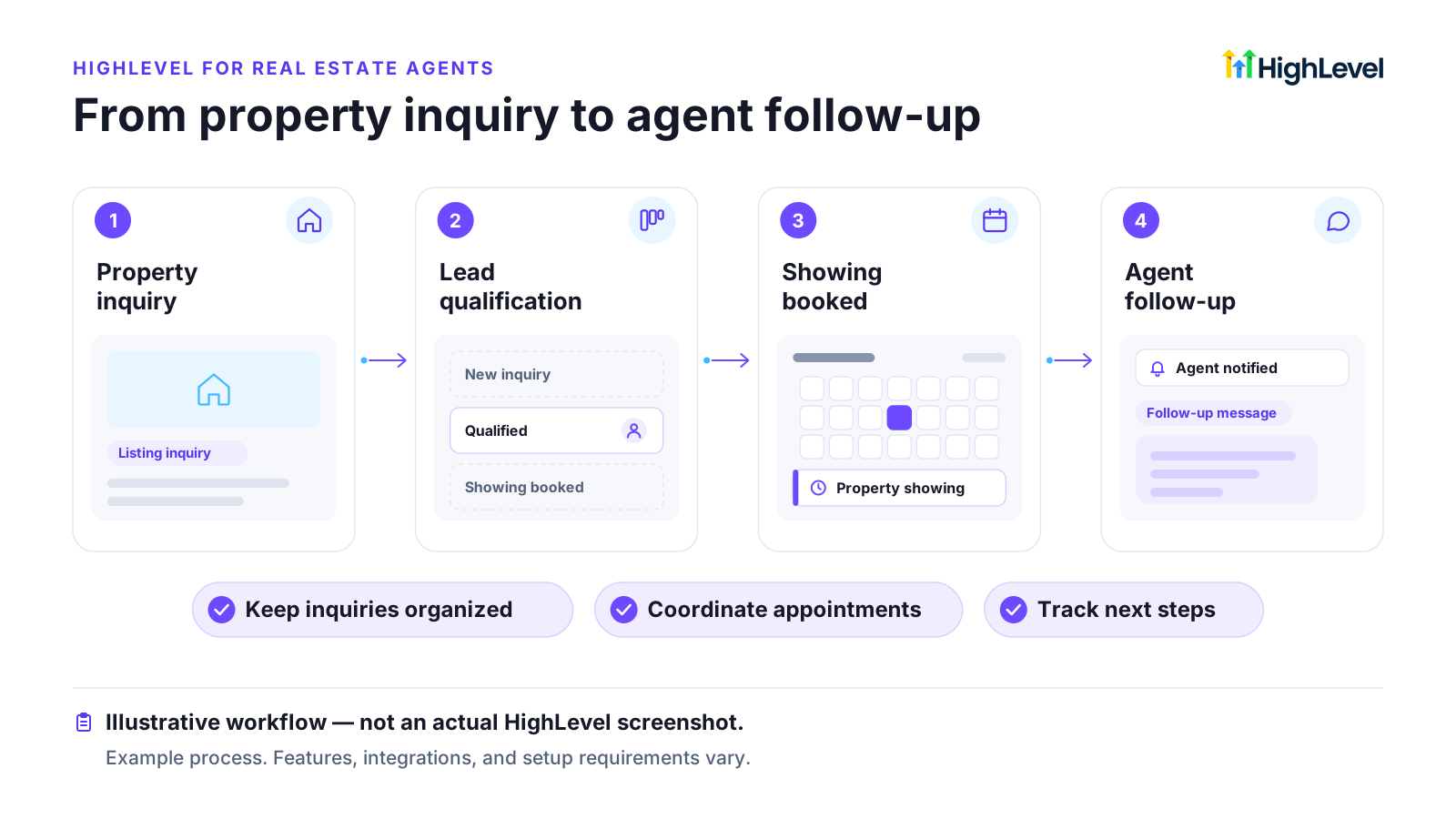
Example workflow: from property inquiry to agent follow-up
Example workflow, not a documented customer result. You would build and adapt each step yourself.
Setup, costs and limits
Prices checked on HighLevel’s pricing page, as shown to a US visitor. Sources are listed at the end of the page.
- Starter costs $97 per month and includes 3 sub-accounts. A solo agent or one team needs one; separate offices or teams can each have their own.[1]
- Email is billed by usage at $0.675 per 1,000 emails. SMS and call rates vary by region and are not listed on the pricing page.[1],[9]
- US A2P 10DLC registration can involve registration and vetting charges, recurring campaign fees and carrier messaging charges. WhatsApp is listed separately as an add-on at $10 per month; ask HighLevel whether WhatsApp reminders need it.[6]
- You build the forms, pipeline stages, calendars and workflows, or start from a snapshot from HighLevel’s library of pre-built accounts for various industries. Check what a snapshot contains before you import it.[1]
What it does not replace
- MLS or IDX property search and listing feeds on your website.
- Transaction management, contract workflows and brokerage compliance records.
- Your brokerage’s rules on consent to text and on record keeping.
Before you sign up
- Whether your listing website or IDX tool can pass inquiries to HighLevel by form embed, integration or webhook. Ask both vendors.
- How many agents, teams or offices need their own sub-account, and whether Starter covers them.[1]
- Your expected texting volume, and how long US A2P registration will take before you can text leads.[6]
- Who will build and maintain the automations, and how many hours that takes each month.
Questions about HighLevel for real estate
Are GHL, GoHighLevel and HighLevel the same product?
Yes. The product calls itself HighLevel. Many people still say GoHighLevel, after its web address, or GHL for short.
Does GoHighLevel include MLS or IDX listings?
MLS and IDX feeds are not among HighLevel’s listed core features. Treat property search as a separate tool, and ask HighLevel and your IDX provider how inquiries would reach the CRM.[1]
Can Facebook and Instagram ad leads go straight into HighLevel?
Yes, through Ad Manager, once it is activated for your sub-account and your Facebook account is connected. Lead-form fields mapped to contact fields create the contacts.[4]
Does each agent on my team cost extra?
Not as a seat fee: all plans include unlimited users and contacts. Usage charges for email, texts and calls still apply to the account.[1]
Sources
Each vendor fact is matched word for word against the cited page on its check date.
-
[1]
HighLevel Pricing (opens in a new tab) Vendor documentation · Checked 25 October 2026
-
[2]
Getting Started - Setup Pipelines and Opportunities (opens in a new tab) Vendor documentation · Checked 25 October 2026 Article shows "Modified on: Mon, 24 Aug, 2026".
-
[3]
Getting Started with the Conversations Tab (opens in a new tab) Vendor documentation · Checked 25 October 2026 Article shows "Modified on: Mon, 27 Jul, 2026".
-
[4]
Getting Started - Setup Facebook and Instagram Lead Ads (opens in a new tab) Vendor documentation · Checked 25 October 2026 Article shows "Modified on: Fri, 14 Aug, 2026".
-
[5]
Getting Started With Smart Lists (opens in a new tab) Vendor documentation · Checked 25 October 2026 Article shows "Modified on: Tue, 19 May, 2026".
-
[6]
What is A2P 10 DLC: Brand and Campaign Registration (opens in a new tab) Vendor documentation · Checked 25 October 2026 Article shows "Modified on: Fri, 4 Sep, 2026".
-
[7]
Calendar: Email, In-App, SMS & Whatsapp Appointment Notifications (opens in a new tab) Vendor documentation · Checked 25 October 2026 Article shows "Modified on: Wed, 14 Oct, 2026".
-
[8]
Workflow Trigger - Customer Booked Appointment (opens in a new tab) Vendor documentation · Checked 25 October 2026 Article shows "Modified on: Mon, 6 Apr, 2026".
-
[9]
HighLevel Pricing Guide (opens in a new tab) Vendor documentation · Checked 25 October 2026 Article shows "Modified on: Sat, 22 Aug, 2026".